Convex LLM analytics installation

  1. Install dependencies

    Required

    Install the PostHog AI package, the Vercel AI SDK, and the OpenTelemetry SDK.

    npm install @posthog/ai @ai-sdk/openai ai @opentelemetry/sdk-node @opentelemetry/resources
  2. Set environment variables

    Required

    Set your PostHog project API key and host as Convex environment variables. You can find these in your project settings.

    npx convex env set POSTHOG_API_KEY "<ph_project_token>"
    npx convex env set POSTHOG_HOST "https://us.i.posthog.com"

    You also need your AI provider's API key (e.g. OPENAI_API_KEY):

    npx convex env set OPENAI_API_KEY "your_openai_api_key"
  3. Capture LLM events with OpenTelemetry

    Required

    Convex actions run in a Node.js-compatible environment when you add the "use node" directive. Create an action that initializes the OpenTelemetry SDK with PostHog's trace exporter and enables telemetry on your AI SDK calls.

    "use node"
    import { NodeSDK } from '@opentelemetry/sdk-node'
    import { resourceFromAttributes } from '@opentelemetry/resources'
    import { generateText } from 'ai'
    import { openai } from '@ai-sdk/openai'
    import { PostHogTraceExporter } from '@posthog/ai/otel'
    import { action } from './_generated/server'
    import { v } from 'convex/values'
    export const generate = action({
    args: {
    prompt: v.string(),
    distinctId: v.optional(v.string()),
    },
    handler: async (_ctx, args) => {
    const distinctId = args.distinctId ?? 'anonymous'
    const sdk = new NodeSDK({
    resource: resourceFromAttributes({
    'service.name': 'my-convex-app',
    'user.id': distinctId,
    }),
    traceExporter: new PostHogTraceExporter({
    apiKey: process.env.POSTHOG_API_KEY!,
    host: process.env.POSTHOG_HOST,
    }),
    })
    sdk.start()
    const result = await generateText({
    model: openai('gpt-5-mini'),
    prompt: args.prompt,
    experimental_telemetry: {
    isEnabled: true,
    functionId: 'my-convex-action',
    metadata: {
    posthog_distinct_id: distinctId,
    },
    },
    })
    await sdk.shutdown()
    return { text: result.text, usage: result.usage }
    },
    })
    How this works

    The PostHogTraceExporter sends OpenTelemetry gen_ai.* spans to PostHog's OTLP ingestion endpoint. PostHog converts these into $ai_generation events automatically. The posthog_distinct_id metadata field links events to a specific user.

  4. Using Convex Agent

    Optional

    If you're using @convex-dev/agent, pass experimental_telemetry to the agent's generateText call:

    "use node"
    import { NodeSDK } from '@opentelemetry/sdk-node'
    import { resourceFromAttributes } from '@opentelemetry/resources'
    import { Agent } from '@convex-dev/agent'
    import { openai } from '@ai-sdk/openai'
    import { PostHogTraceExporter } from '@posthog/ai/otel'
    import { components } from './_generated/api'
    import { action } from './_generated/server'
    import { v } from 'convex/values'
    export const generate = action({
    args: {
    prompt: v.string(),
    distinctId: v.optional(v.string()),
    },
    handler: async (ctx, args) => {
    const distinctId = args.distinctId ?? 'anonymous'
    const sdk = new NodeSDK({
    resource: resourceFromAttributes({
    'service.name': 'my-convex-app',
    'user.id': distinctId,
    }),
    traceExporter: new PostHogTraceExporter({
    apiKey: process.env.POSTHOG_API_KEY!,
    host: process.env.POSTHOG_HOST,
    }),
    })
    sdk.start()
    const supportAgent = new Agent(components.agent, {
    name: 'support-agent',
    languageModel: openai('gpt-5-mini'),
    instructions: 'You are a helpful support agent.',
    })
    const { thread } = await supportAgent.createThread(ctx, {})
    const result = await thread.generateText({
    prompt: args.prompt,
    experimental_telemetry: {
    isEnabled: true,
    functionId: 'convex-agent',
    metadata: {
    posthog_distinct_id: distinctId,
    },
    },
    })
    await sdk.shutdown()
    return { text: result.text, usage: result.totalUsage }
    },
    })

    You can expect captured $ai_generation events to have the following properties:

    PropertyDescription
    $ai_modelThe specific model, like gpt-5-mini or claude-4-sonnet
    $ai_latencyThe latency of the LLM call in seconds
    $ai_time_to_first_tokenTime to first token in seconds (streaming only)
    $ai_toolsTools and functions available to the LLM
    $ai_inputList of messages sent to the LLM
    $ai_input_tokensThe number of tokens in the input (often found in response.usage)
    $ai_output_choicesList of response choices from the LLM
    $ai_output_tokensThe number of tokens in the output (often found in response.usage)
    $ai_total_cost_usdThe total cost in USD (input + output)
    [...]See full list of properties
  5. Verify traces and generations

    Recommended
    Confirm LLM events are being sent to PostHog

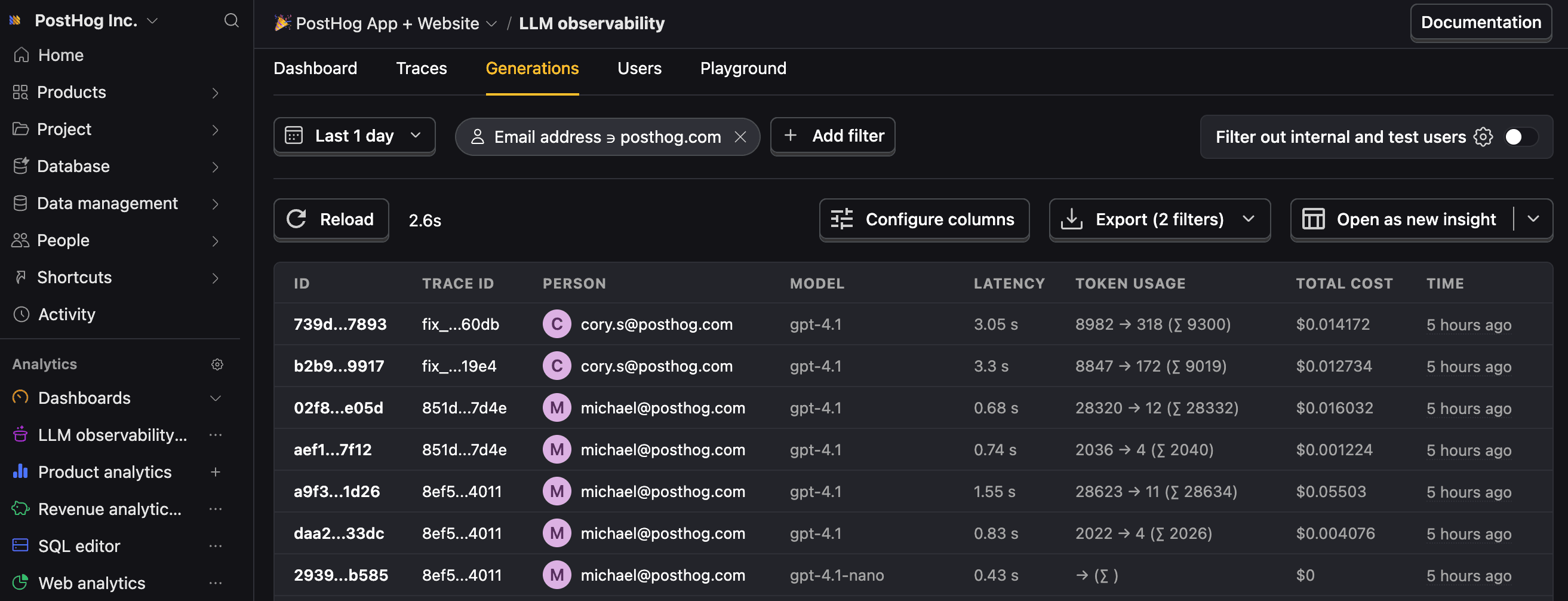
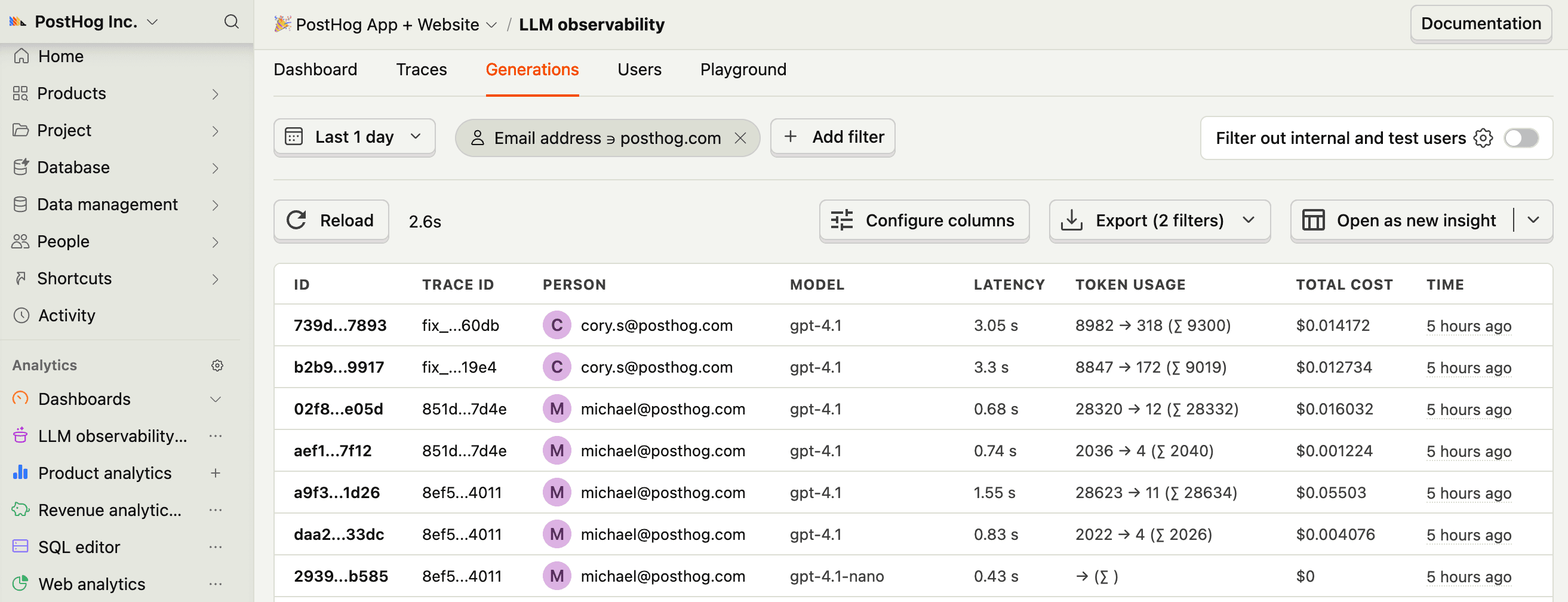
    Let's make sure LLM events are being captured and sent to PostHog. Under LLM analytics, you should see rows of data appear in the Traces and Generations tabs.


    LLM generations in PostHog
    Check for LLM events in PostHog
  6. Next steps

    Recommended

    Now that you're capturing AI conversations, continue with the resources below to learn what else LLM Analytics enables within the PostHog platform.

    ResourceDescription
    BasicsLearn the basics of how LLM calls become events in PostHog.
    GenerationsRead about the $ai_generation event and its properties.
    TracesExplore the trace hierarchy and how to use it to debug LLM calls.
    SpansReview spans and their role in representing individual operations.
    Anaylze LLM performanceLearn how to create dashboards to analyze LLM performance.
Community questions

Was this page useful?

Questions about this page? or post a community question.